To update your E&O insurance information, follow the steps below:
- Log into Appraisal Scope
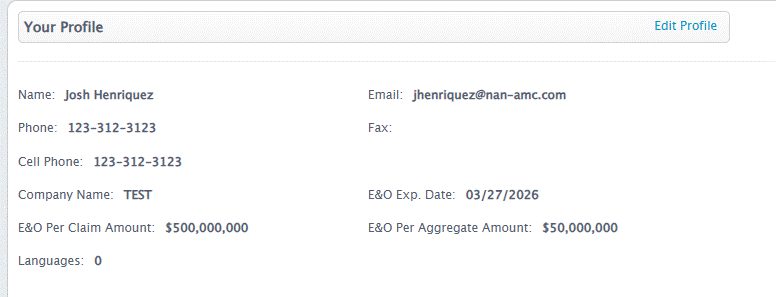
- Choose Profile Tab to update your E&O details

- Select “Edit Profile”
- Scroll down to the Address of Assignments section
- Update applicable E&O fields:
- E&O Carrier
- E&O Exp. Date
- E&O Per Claim Amount
- E&O Per Aggregate Amount
- Deductible
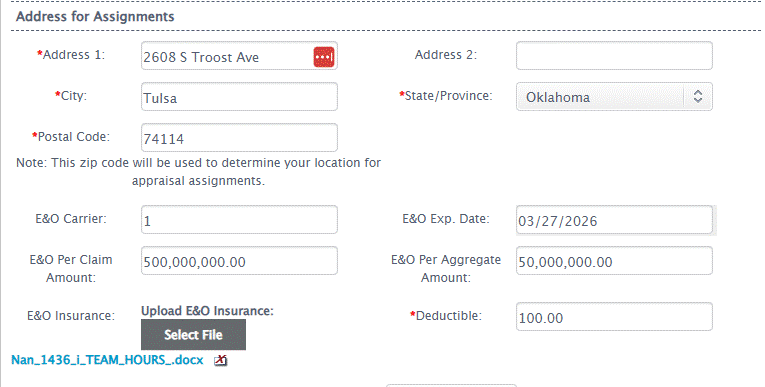
- Locate the E&O Insurance field, then click “Select File”

- Upload E&O certificate
- Scroll down to the bottom of the page and hit “Save”
Was this article helpful?
That’s Great!
Thank you for your feedback
Sorry! We couldn't be helpful
Thank you for your feedback
Feedback sent
We appreciate your effort and will try to fix the article