In order to update your ACH (Direct Deposit) information, follow the steps below:
- Log into Appraisal Scope
- Choose the Settings Tab

- Choose the subtab ACH Info
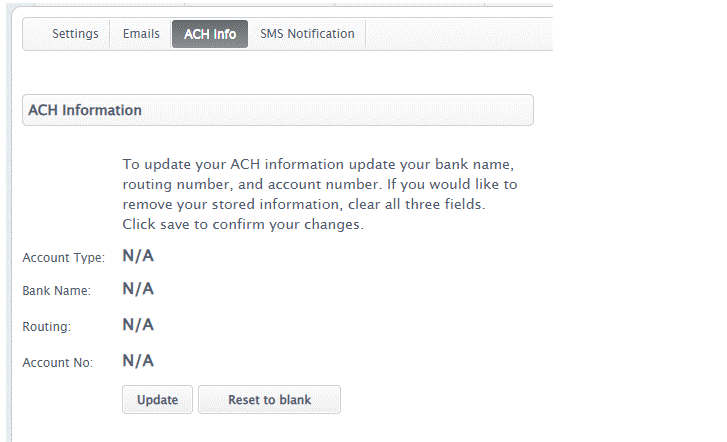
- Click update and update your information or select “Reset to Blank” to enter the info from scratch. Note: All 4 fields are required for ACH.
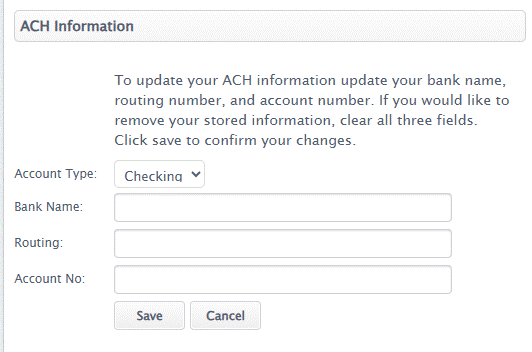
- Hit "Save" once you have reviewed the information
Was this article helpful?
That’s Great!
Thank you for your feedback
Sorry! We couldn't be helpful
Thank you for your feedback
Feedback sent
We appreciate your effort and will try to fix the article